Questions
How do I set it up?
Plug it in. The frame wakes up and puts a card on the screen with three steps and a QR code.
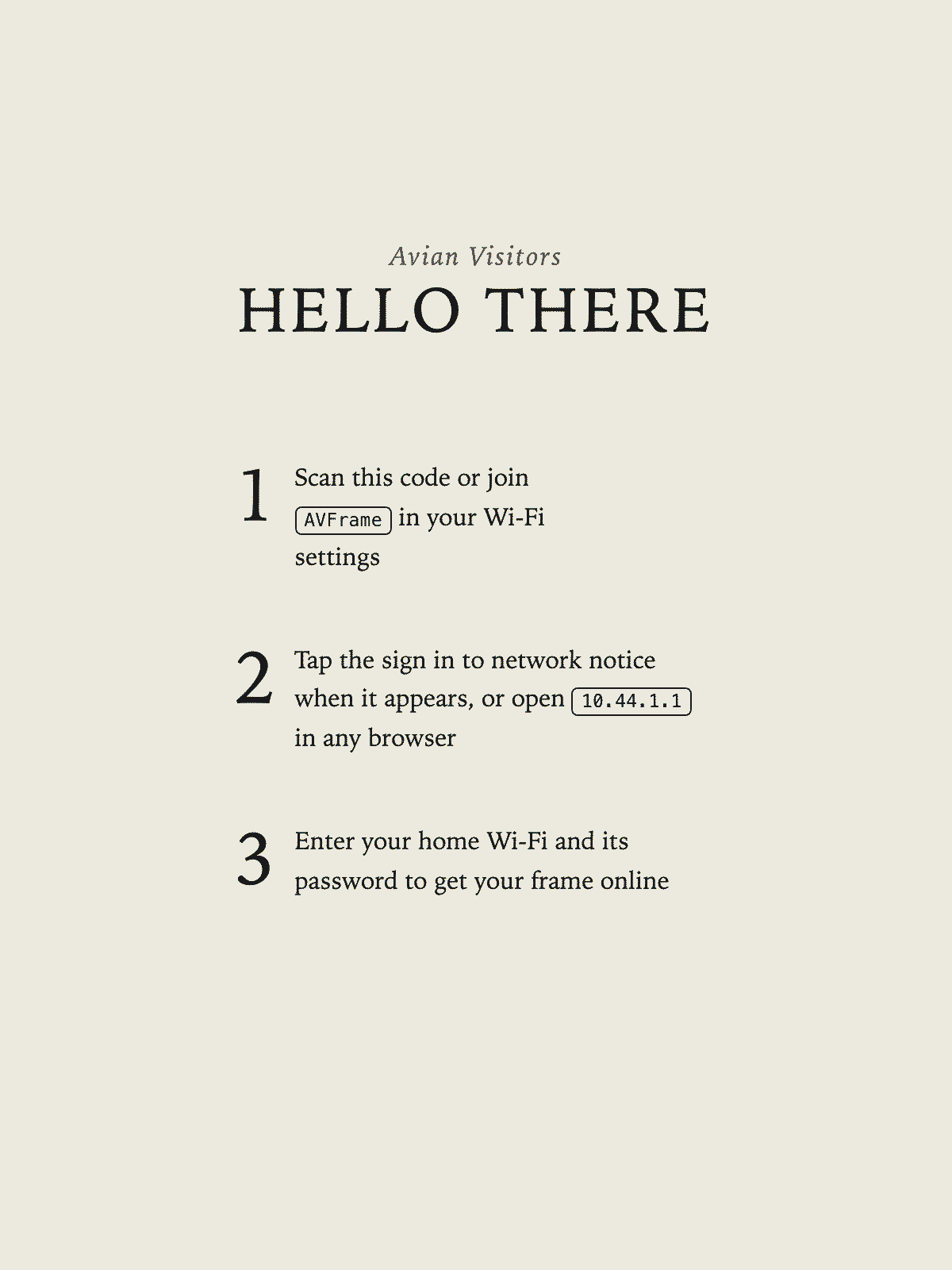
- Scan the code with your phone. If you need to join manually, use
the full
AVFrame-network name and grouped password printed directly below it on the frame. - Tap the sign in to network notice when it appears. If it doesn't
appear, open
10.44.1.1in any browser. - Pick your home network, type the password, and wait for the check.
The frame then shows a five digit code. Go to avianvisitors.com/register, enter it, and tell it where to get your birds.
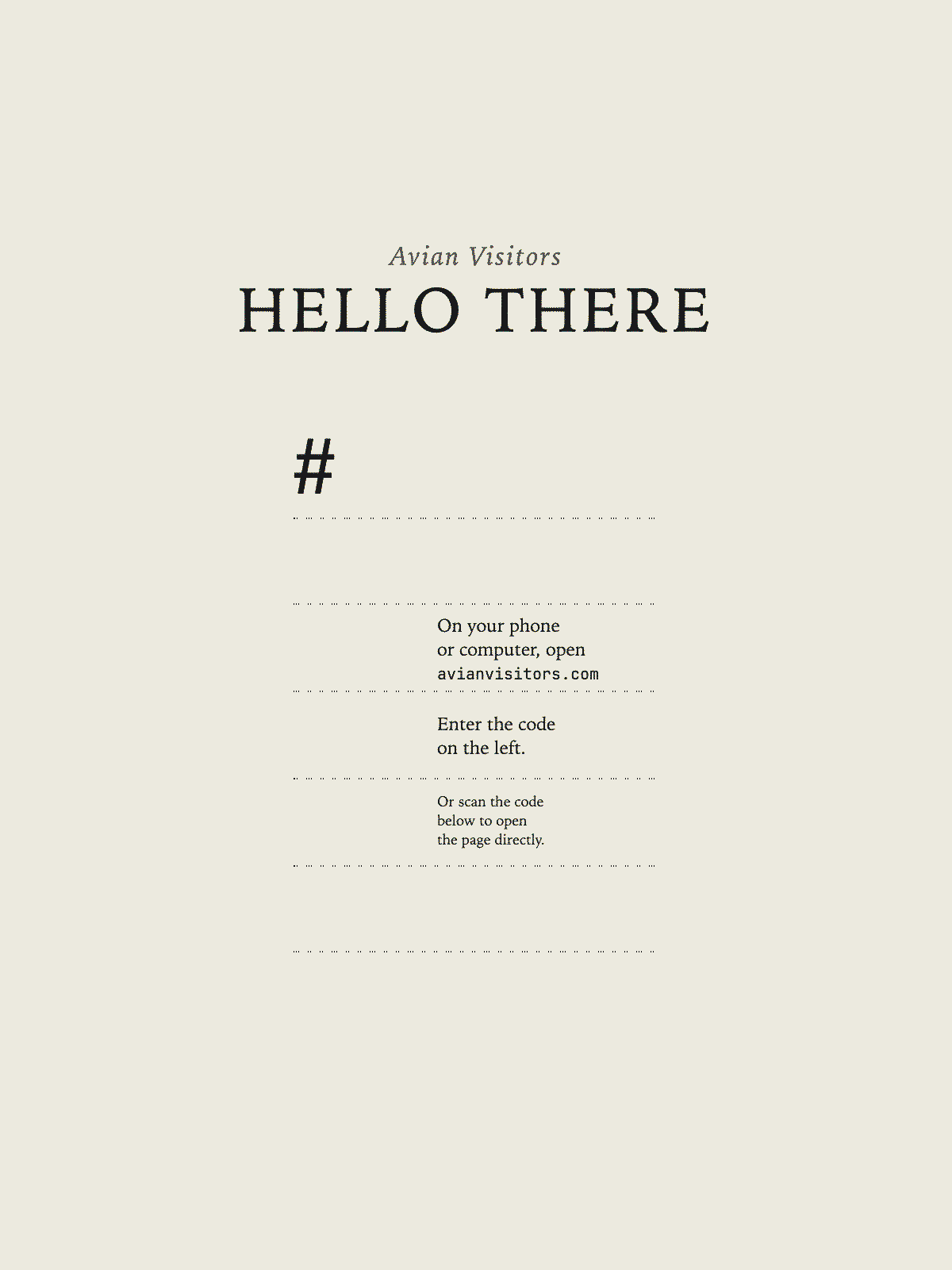
First birds land within a few minutes. After that the frame checks for new ones on its own.
How do I set it up with a ZIP code?
This is the simplest one, and it needs nothing but the frame. Pick Birds near a ZIP code when you register and type your ZIP.
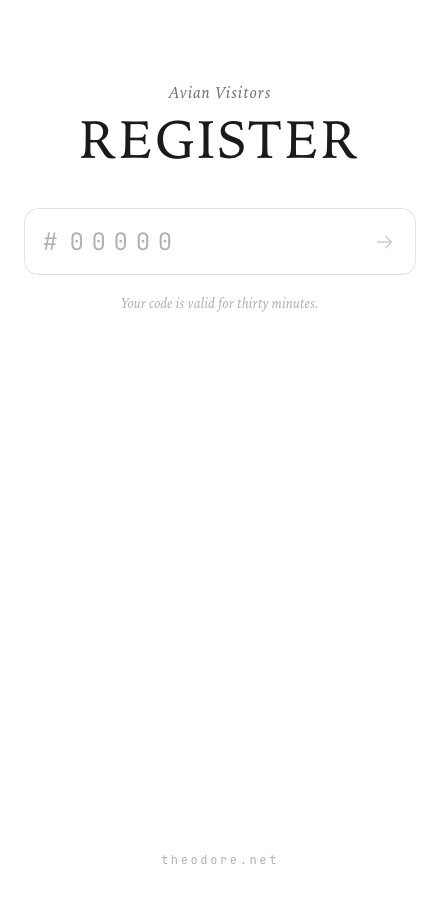
Your frame draws whatever birds people have been hearing near you over the last 24 hours, using BirdWeather's public data. No microphone, nothing to run at home.
How do I set it up with a BirdWeather PUC?
If you have a PUC, your frame can draw the birds it hears rather than the neighbourhood average.
Pick A BirdWeather station when you register and enter your station ID. You'll find it in the address of your station's page on app.birdweather.com, the number at the end.
That's the whole setup. The frame reads your station directly, so the birds on the wall are the ones your own PUC picked up.
How do I set it up with my own bird mic?
Use a BirdNET-Pi running the AvianVisitors overlay. Pick My own bird mic
and enter its public base address, such as https://birds.example.com,
or its recent-birds endpoint. It must return bird data without a sign-in.
Stock BirdNET-Pi and BirdNET-Go endpoints are not supported.
One catch worth knowing before you start: the frame reads your mic from
the internet, not from inside your house. An address like
birdnet.local or 192.168.1.50 works on your own
network but is invisible from anywhere else, so the frame can't reach it.
You'll want your instance reachable at a real address, for example through
a Cloudflare tunnel.
If you'd rather not expose it, the ZIP option needs nothing from you and you can switch to it at any time.
How do I manage my frame?
Go to avianvisitors.com/manage. If you registered on this browser you're already in. Otherwise put in the email you registered with and we'll send you a code.
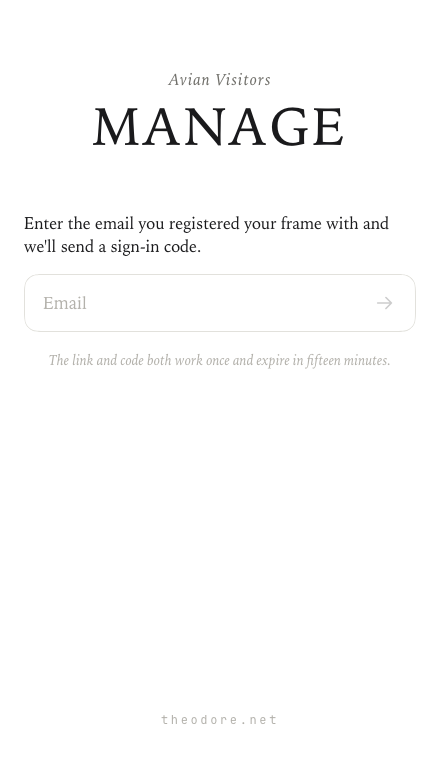
From there you can change where your birds come from, rename the line printed above Heard Today, and turn the handwritten bird names on the collage on or off.
Changes reach the frame at its next check in. Plugged into a computer that's about three minutes, on a charger about five minutes, and on battery it can be up to about an hour. Plug it in if you want it to hurry.
How do I put my frame on a different Wi-Fi network?
Open manage, expand Advanced, and press Change Wi-Fi network.
At its next check in the frame puts the setup card back on the screen and
raises its own tagged AVFrame- network, exactly like the first
time. Use the network name and password shown on the setup card, then
hand over the new details.
Nothing is lost if you change your mind. The frame keeps the network it already has until a new one actually works, so you can walk away mid-setup and it carries on as before.
I moved. How do I get my frame onto the new Wi-Fi?
Plug it in.
Your old network is gone, so the manage page can't reach the frame to tell
it anything. It works this out for itself: once it's plugged in and has
failed to find the network it knows, it puts the setup card back on the
screen and raises its tagged AVFrame- network again. Use the
network name and password shown there, then enter your new details.
Give it a few minutes after plugging in. It waits to be sure the network is really gone rather than reacting to a router that's just rebooting.
It only does this while plugged in. On battery it keeps quietly retrying instead, because holding a network open uses far more power than sleeping.
The sign in to network notice never appeared
Open 10.44.1.1 in any browser while you're joined to the
tagged network shown on the frame. That's the same page.
Phones decide on their own whether to pop that notice, and they get it wrong fairly often, particularly on a network they've joined before. The address is printed on the frame for exactly this reason.
How long does the battery last?
The current build uses a 2000 mAh rechargeable cell. Its recharge interval is still being measured on the exact shipping firmware.* It sleeps between hourly battery checks and redraws when the collage changes, plus at least once every 24 hours for panel maintenance during normal operation on a healthy battery.
Charge it with any USB-C cable. There's no power switch and nothing to press: leave it plugged in if you like, it's happy either way.
* Battery qualification is in progress. We will publish the measured range when it is complete.
Where do I buy one?
Frames are sold at theodore.net/store, along with the mic kit if you would rather build the open source version yourself.
Can I give my frame to someone else?
Yes. Open manage, expand Advanced, and press Release this frame.
It forgets your Wi-Fi, your email and your settings, and goes back to the setup card so the next person can register it as their own.